SAMPLE AND DEMONSTRATION ONLY. Illustrative analysis of publicly available information, prepared by BI Consulting Services. Not affiliated with, endorsed by or produced for any company shown.
Demonstration · Illustrative data · BI Consulting Services

Kanaflex Corporation × BI Consulting Services

Vernon Hills, IL manufacturing · The Original Flexible Hose™ since 1952

Prepared for Roger, Plant Manager
September 2026 · Power BI concept board

Plant Operations Board — extrusion to dock

One screen a plant team reads every morning: OEE by extrusion line, feet produced against plan, scrap, on-time shipment and inventory days by product family. Every number below recalculates from the three filters.

Production trend

Weekly output vs plan

Feet extruded per week (bars) against the production plan (line). Weeks below plan are shaded.

Actual ftBelow planPlan

Signature view · 800 Woodlands Pkwy

Plant floor — extrusion lines by OEE, live from the same filters

Each line is drawn extruder → cooling trough → take-up reel; the coloured run length is the line's OEE for the selected period. Dimmed lines are filtered out.

≥ 78% target70–78% watch< 70% belowFiltered out

Ranking

OEE by extrusion line

Availability × Performance × Quality. Target 78%. Sorted lowest first — the morning meeting starts at the top.

Inventory

Inventory days by product family

Finished-goods cover at period end vs. the 35-day target.

Demand

Open orders by customer segment

Feet on open sales orders at period end, by the market the distributor serves.

Ask the data · Copilot-style layer (mock)

Plain-English questions, answered from the model

Which line cost us the most planned feet in August, and why?▍

What you'd learn to build · one-on-one Power BI training

Three report pages, built with your team, on your data

PAGE 1

Production

Output vs plan by line and shift, OEE with A/P/Q breakdown, downtime reasons.

  • Connect: ERP work orders + line PLC/log sheets
  • Learn: Power Query, date table, DAX measures
PAGE 2

Quality

Scrap % by line and cause code, first-pass yield, food-grade lot traceability.

  • Connect: QC inspection log, scrap tickets
  • Learn: relationships, conditional formatting, drill-through
PAGE 3

Shipping & inventory

On-time shipment by distributor, open orders by segment, inventory days by family.

  • Connect: order book + warehouse stock snapshot
  • Learn: row-level security, scheduled refresh, mobile layout

Everything on this page was built with the same visuals your team would build — no custom code needed inside Power BI.
Also from BI Consulting Services

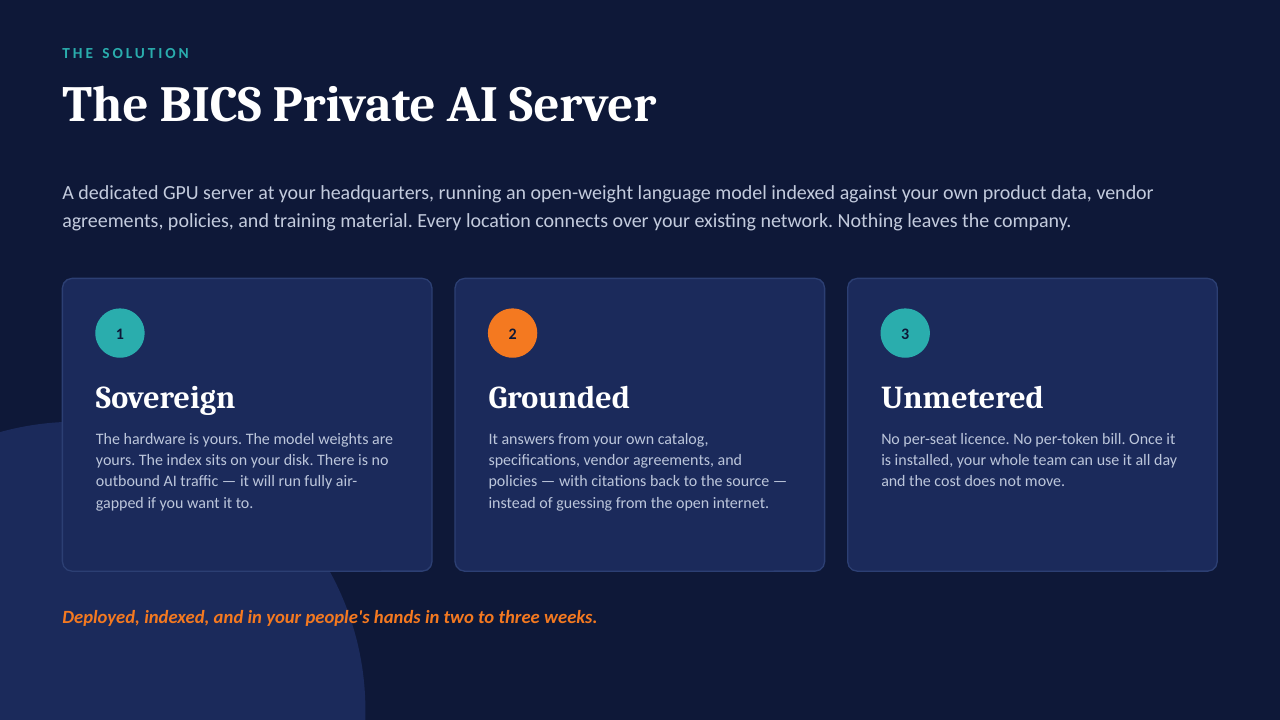
Private AI on your own server

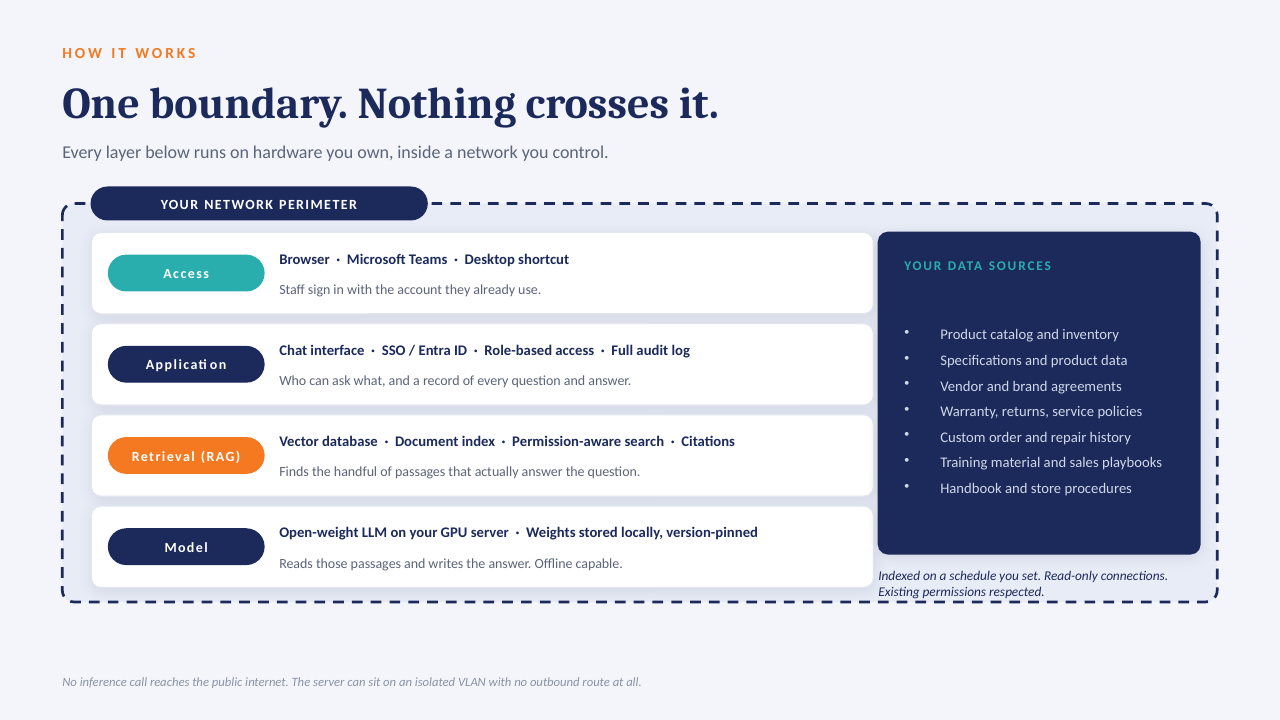
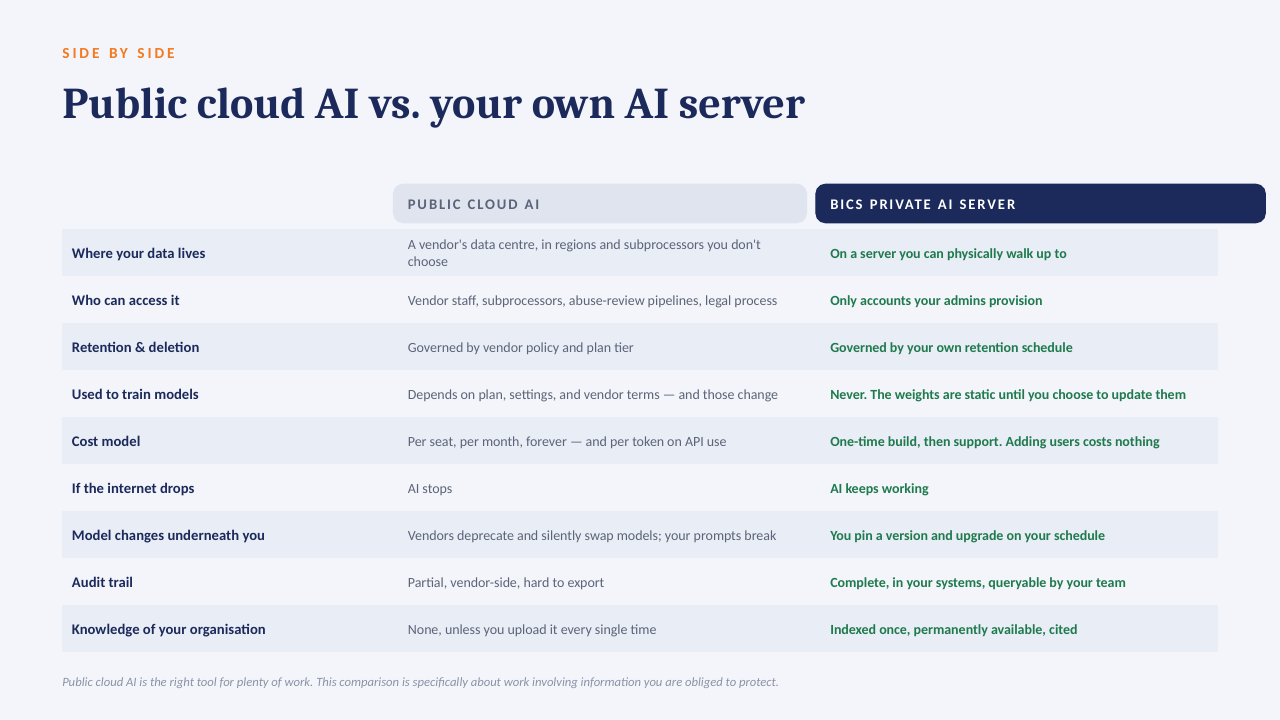
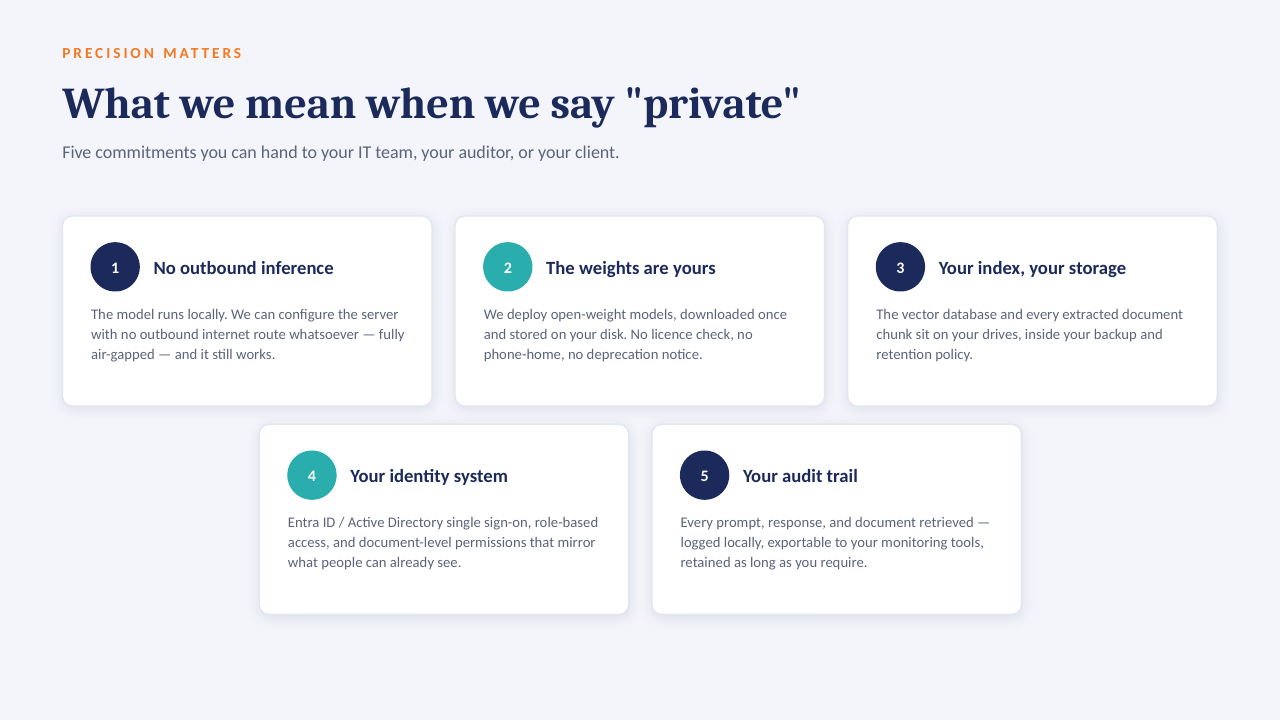
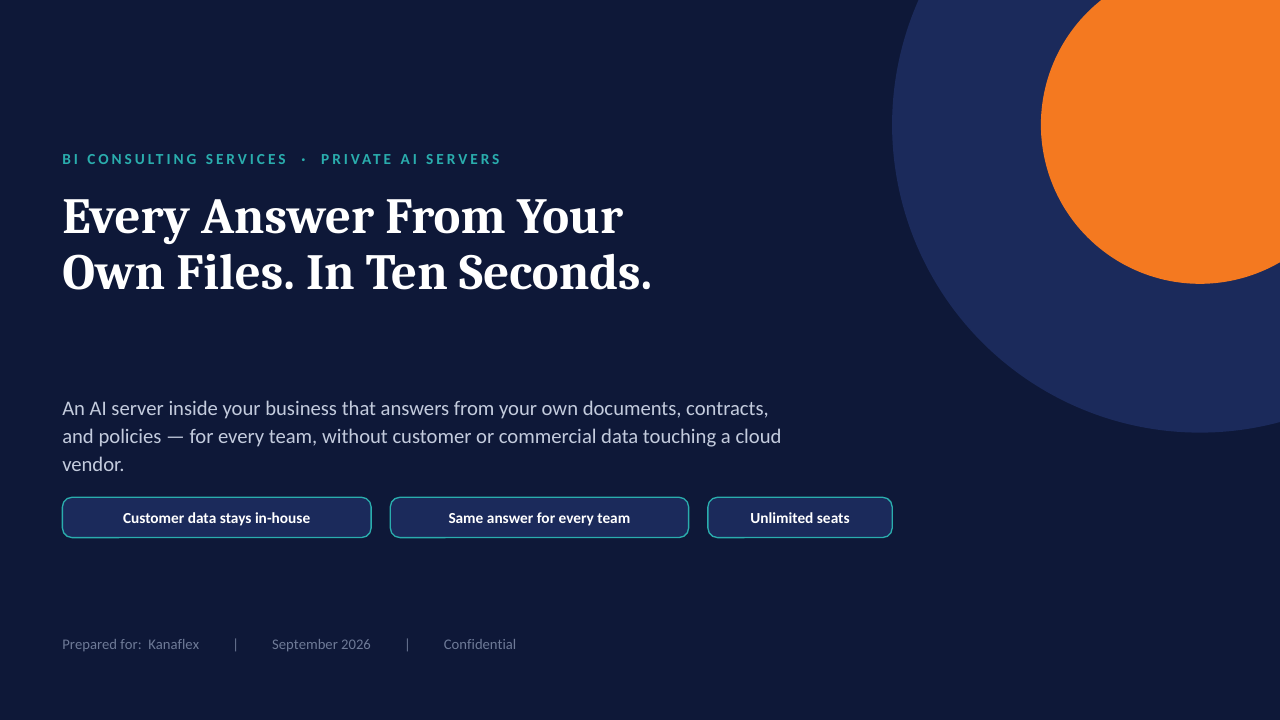
The "ask the data" panel above is built to run on a GPU server inside your own network: an open-weight model over your own documents, with every answer citing the file it came from. No per-seat licence, works offline, and nothing leaves the building.

How it sits in your environment

YOUR NETWORK · NOTHING LEAVES THE BUILDING Your files policies · SOPs · contracts reports · ERP exports indexed locally GPU One server, in your building open-weight model · your data only in seconds Cited answers every reply links to the source file and page no cloud AI · no third-party processor
One appliance-class server on your rack or in a secured closet. Your files are indexed where they already live; the model runs locally; answers come back with the source page attached.

What that means in practice

  1. 1
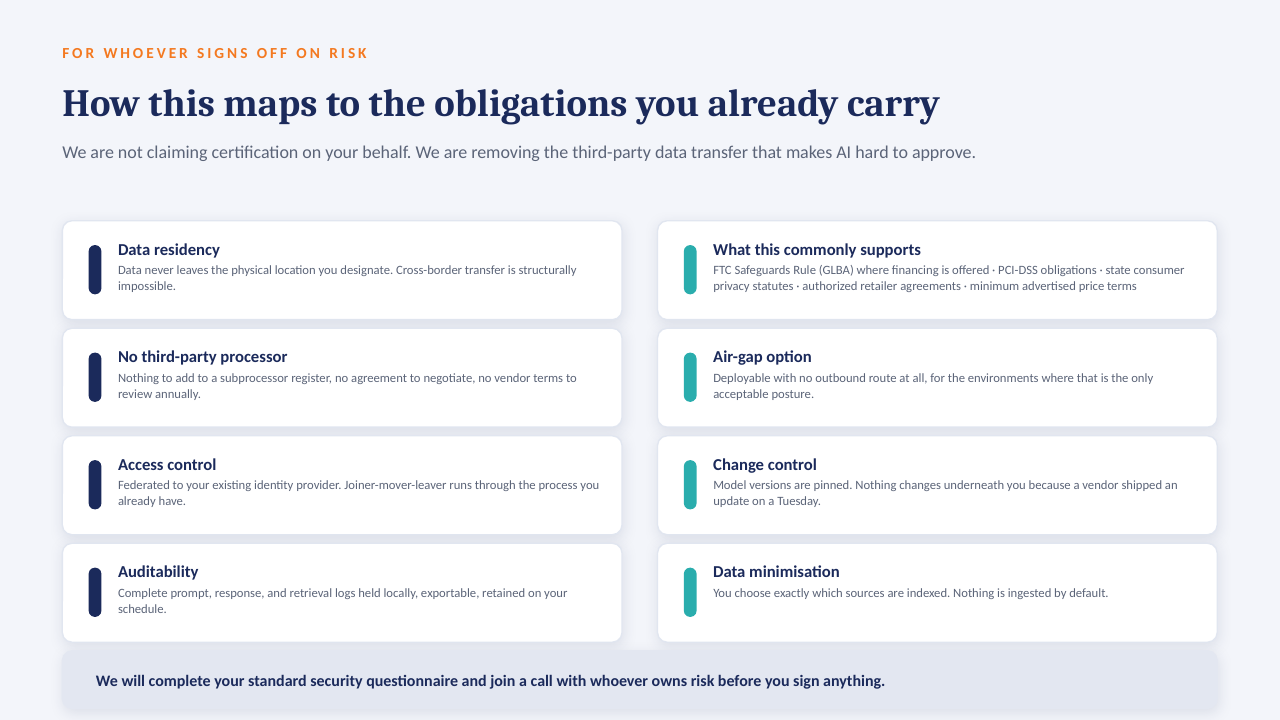
    Your data only, on your hardwareAn open model over your own documents and exports. No third-party AI processor, no data-transfer agreement to review.
  2. 2
    Every answer cites its sourceReplies point to the file and page they were drawn from, so people check the answer instead of trusting it blind.
  3. 3
    No per-seat licenceThe whole team can ask questions. Cost is the server and our build, not a monthly number that grows with headcount.
  4. 4
    Works offlineIf the internet connection goes down, the answers still come. Nothing depends on a vendor's uptime or pricing changes.

The short deck

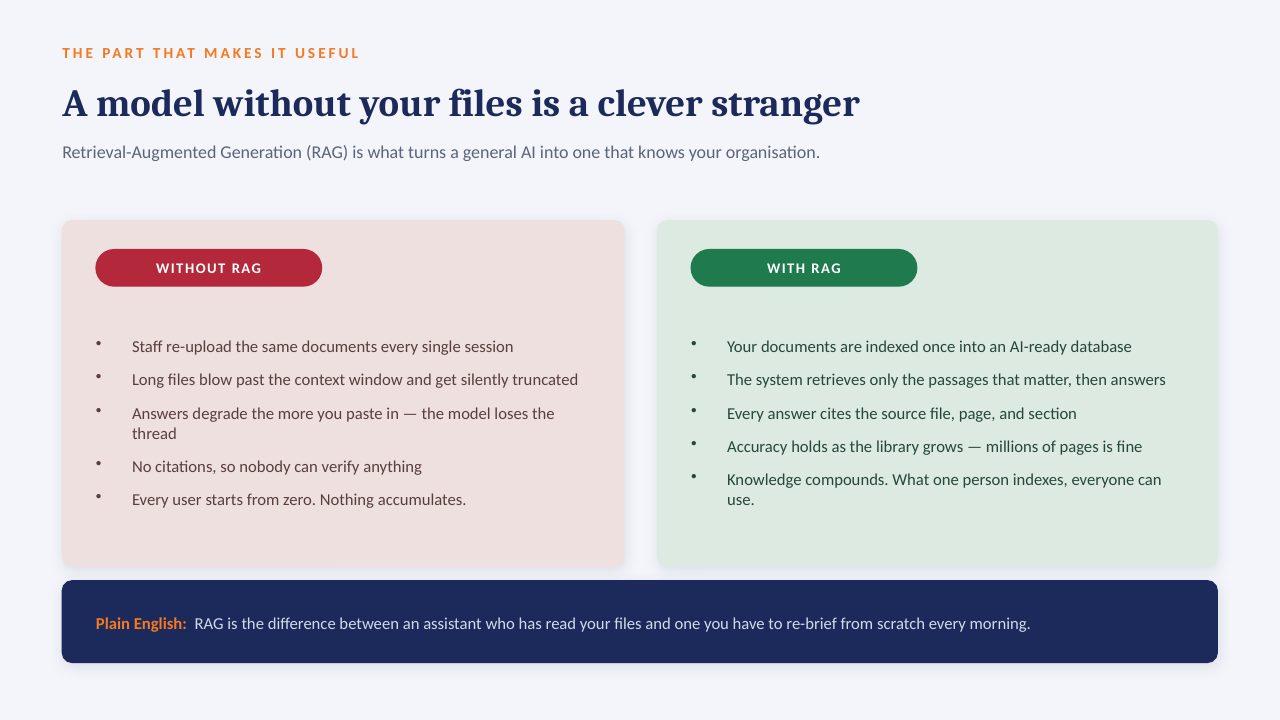
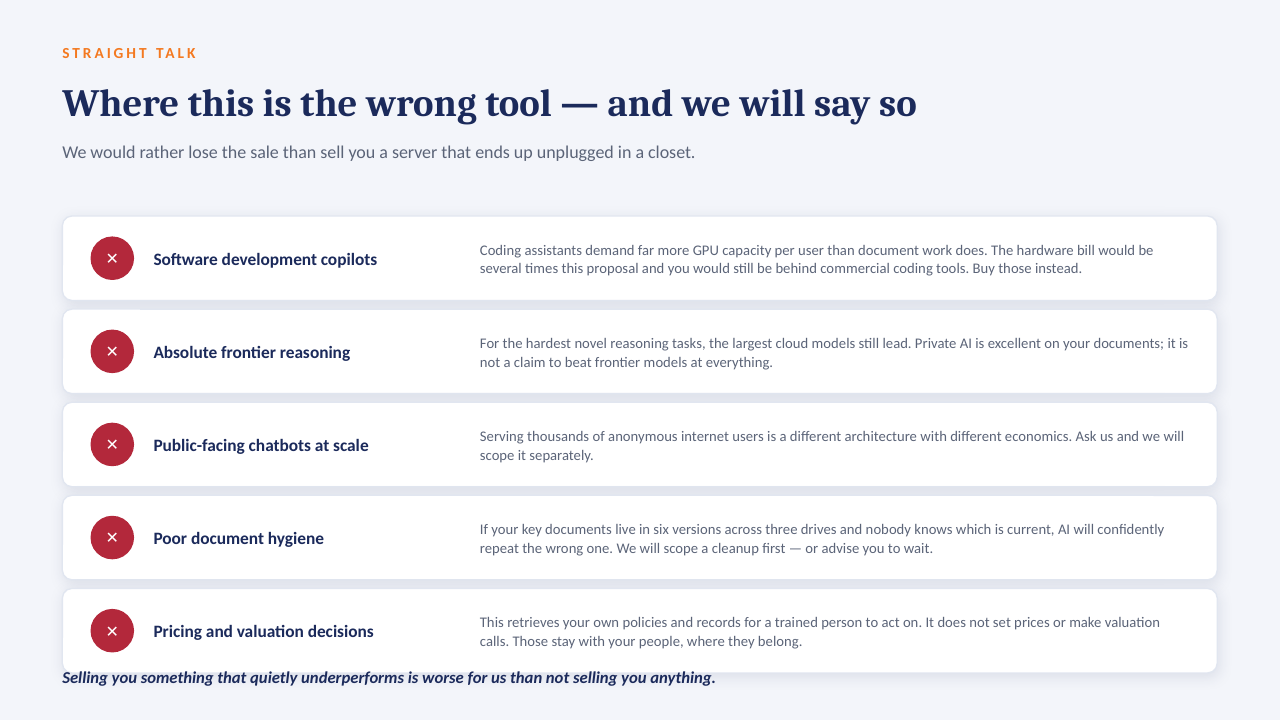
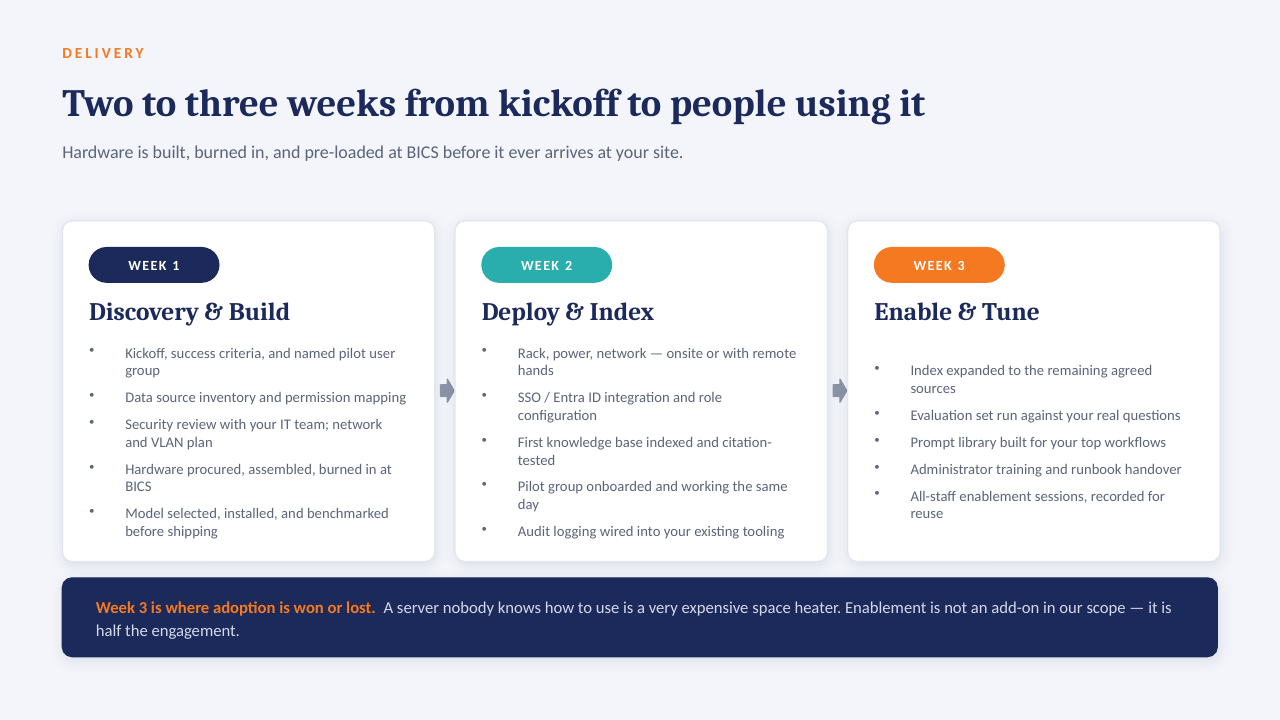
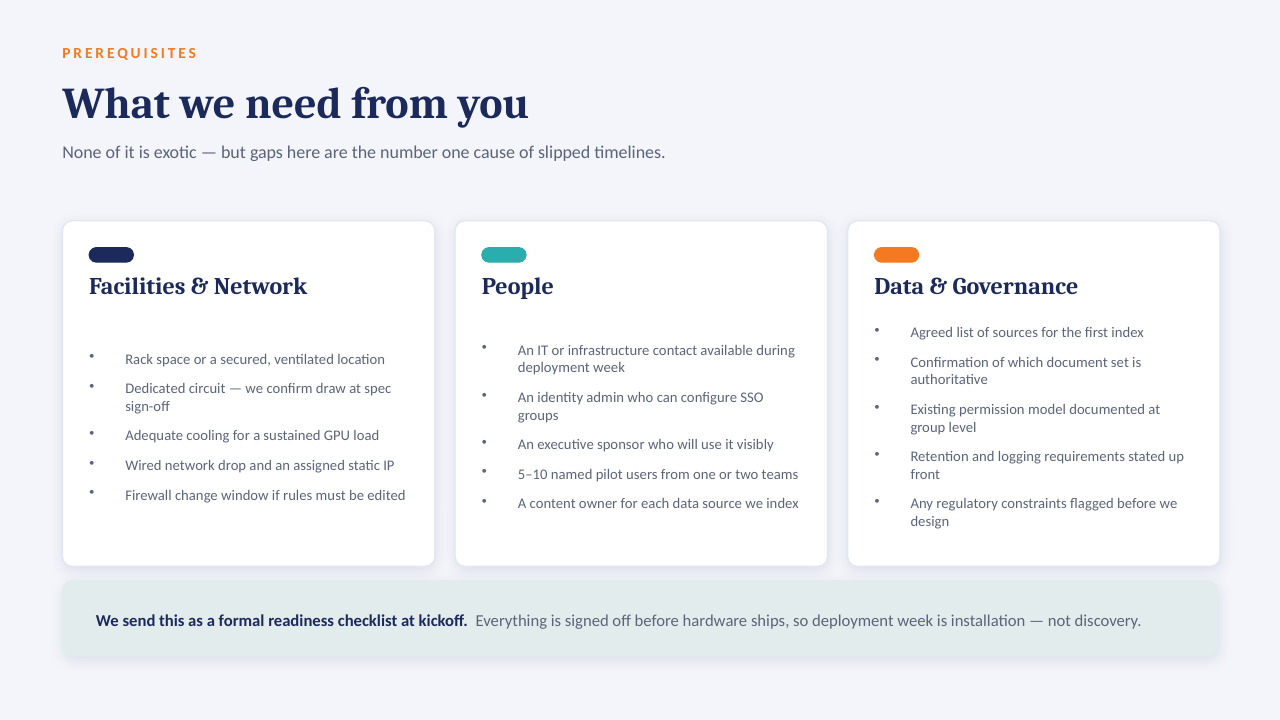
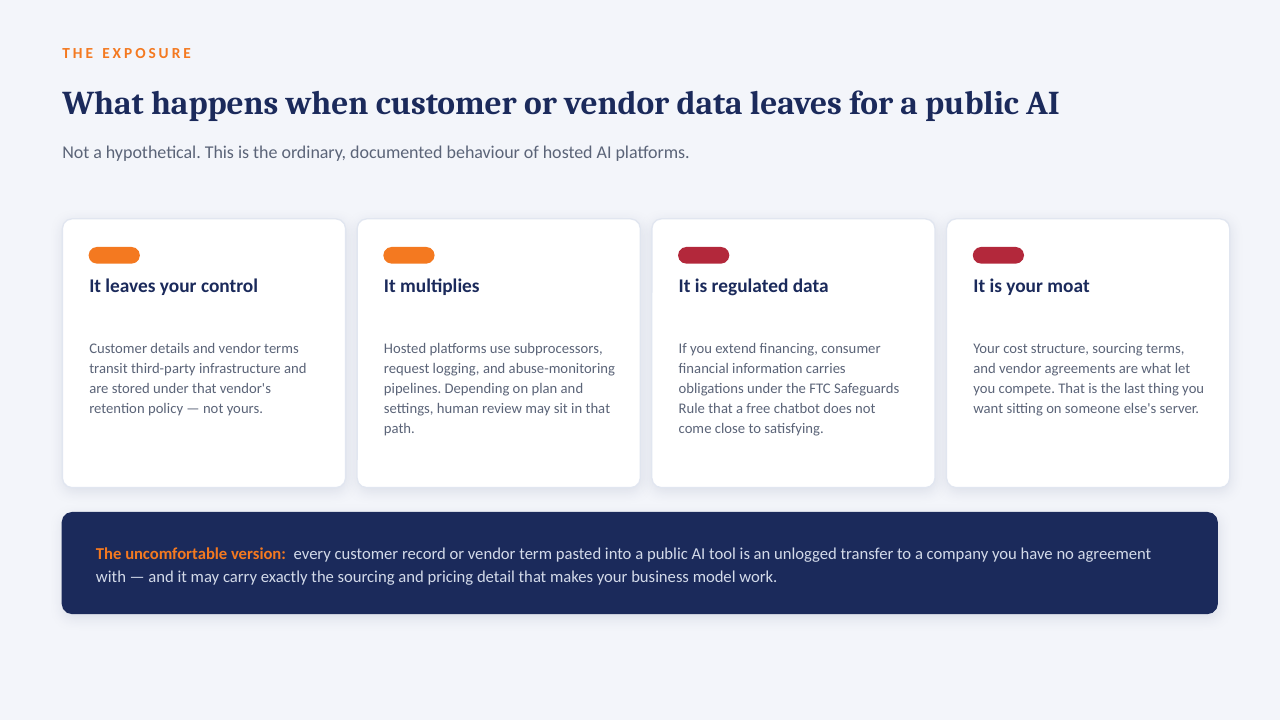
14 slides on how a private AI server is scoped, secured and rolled out. Click through, or take the PDF.

Download the PDF
Private AI on your own server — slide 1 of 14 Private AI on your own server — slide 2 of 14 Private AI on your own server — slide 3 of 14 Private AI on your own server — slide 4 of 14 Private AI on your own server — slide 5 of 14 Private AI on your own server — slide 6 of 14 Private AI on your own server — slide 7 of 14 Private AI on your own server — slide 8 of 14 Private AI on your own server — slide 9 of 14 Private AI on your own server — slide 10 of 14 Private AI on your own server — slide 11 of 14 Private AI on your own server — slide 12 of 14 Private AI on your own server — slide 13 of 14 Private AI on your own server — slide 14 of 14
1 / 14Tap or click a slide to advance · arrow keys work too

Worth a conversation? Book 30 minutes with NicholeBI Consulting Services · powerbiconsultingservices.com